SQL Server 2022 : Check constraints and unique constraints
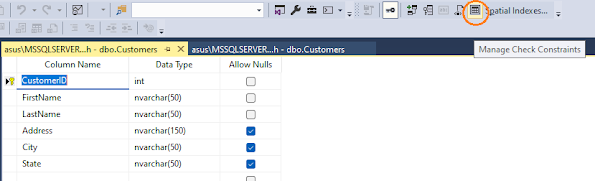
We could set up the rules or constraints when we create a new table, like we don't want the input too short or any unwanted characters, so 'check constraints' could help us on it. I'm using the Customers table again and go to 'Design' window. Click the 'Manage Check Constraints' icon or select any item in the Column Name and right click, then select 'Check Constraints' from the menu. Then I have this window : I edit the constraints in this window: use len() function to make the content of LastName column must be greater than or equal to 2 bytes. Then rename the '(Name)' of Identity, also add 'Description' and press 'Add' to save the editing. Go back to the Customers table, select 'Edit Top 200 Rows'. Go to the last row of the Customers table, then enter the new content to it. Input 'Roger' as FirstName, 'W' as LastName. Then skip the Address, City and State. Press enter, it returns the pop-up window...

